
Protecting Business Email from Cyber Attacks
A stolen email password can be the starting point for a much larger security incident.
Attackers can use compromised accounts to steal credentials, redirect payments, access sensitive conversations, deploy phishing campaigns, or move deeper into a company’s cloud environment.
The problem is that protecting business email with only a password, spam filter, or antivirus is no longer enough.
Modern email security requires multiple layers working together—from SPF, DKIM, and DMARC to phishing detection, URL analysis, identity protection, and continuous monitoring.
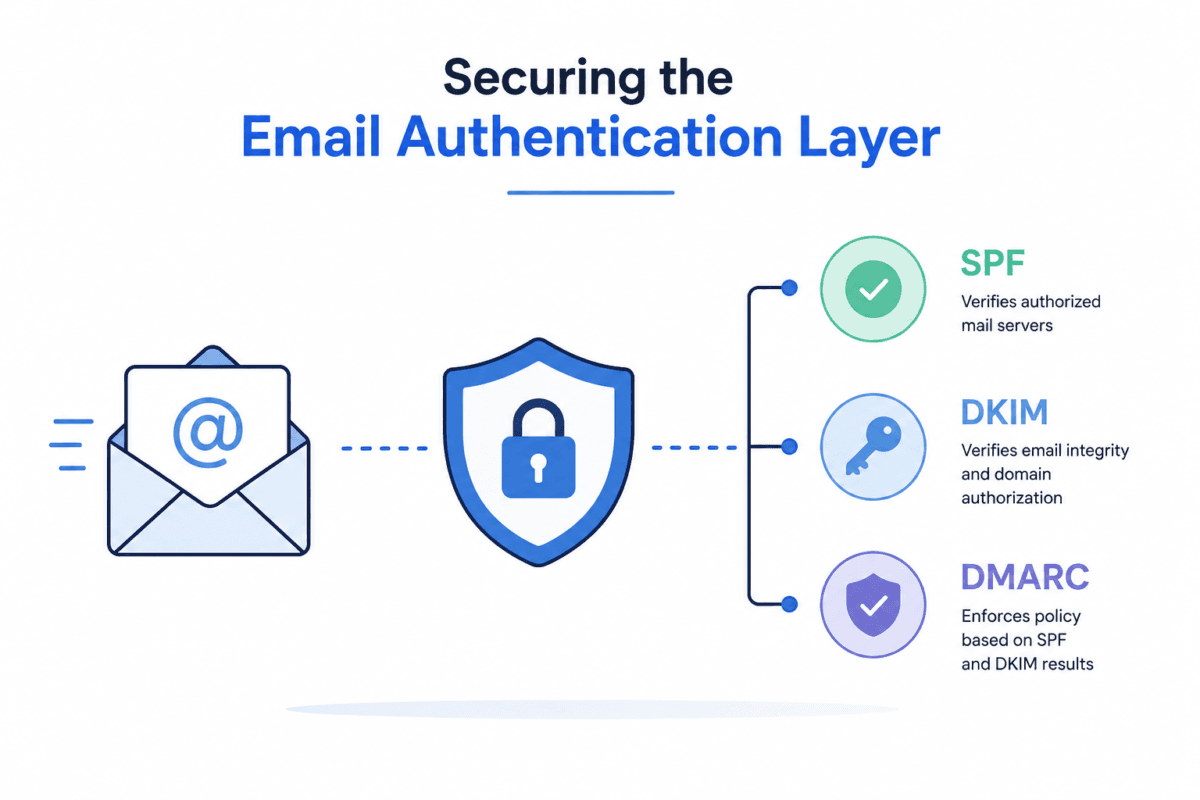
Securing the Email Authentication Layer
The first layer of business email security is verifying whether an email actually comes from an authorized source.
Three protocols form the foundation:
- SPF (Sender Policy Framework): Defines which mail servers are authorized to send email for a domain.
- DKIM (DomainKeys Identified Mail): Uses cryptographic signatures to verify message integrity and domain authorization.
- DMARC: Uses SPF and DKIM results to validate domain alignment and define what should happen when authentication fails.
A common mistake is configuring DMARC only in monitoring mode and never moving toward enforcement.
For organizations handling sensitive financial or customer information, SPF, DKIM, and DMARC should be treated as foundational email security controls rather than optional DNS configurations.
Detecting Phishing URLs
Authentication does not automatically make an email safe.
An attacker could use a compromised legitimate account to send a malicious URL, or register a domain that looks almost identical to a trusted company.
Consider this scenario:
A finance employee receives an urgent payment request that appears to come from the CEO. The domain is:
companynamee.com
instead of:
companyname.com
The difference is only one additional character.
Traditional filtering may not always identify this type of impersonation. Combining domain reputation analysis, URL inspection, sender behavior, and phishing detection provides a stronger defense.
Modern email threat protection can analyze:
- Domain reputation
- Newly registered domains
- DNS information
- Redirect chains
- URL reputation
- Domain similarity
- Final landing-page behavior
- Known malicious infrastructure
Time-of-click protection adds another layer by checking a URL when the user actually clicks it rather than relying only on the result of the initial email scan.
Detecting Malicious Attachments
Attachments remain a common method for delivering malware.
Attackers may use documents, PDFs, archives, scripts, or other file types to bypass basic email filters.
Advanced email malware protection can combine:
- File reputation
- Hash analysis
- Static analysis
- Sandboxing
- Behavioral detection
For example, a suspicious Office document may appear harmless during static inspection.
When executed inside a sandbox, however, it may attempt to launch PowerShell, create another process, modify system settings, or establish an outbound connection.
These behaviors can indicate malicious activity even when the file does not have a known malware signature.
Protecting Against Business Email Compromise
Business Email Compromise (BEC) is particularly dangerous because attackers may not need malware at all.
An attacker who obtains access to a Microsoft 365 account can monitor conversations, create forwarding rules, impersonate employees, and manipulate financial communication.
Consider an illustrative incident:
An attacker compromises a senior executive’s Microsoft 365 account and creates a mailbox forwarding rule to an external account.
The attacker quietly monitors finance-related conversations.
When a payment approval arrives, the attacker intercepts the conversation and sends instructions directing the payment to a fraudulent account.
The original employee may never realize that the conversation has been compromised.
This is why email security monitoring must extend beyond incoming messages.
Security teams should monitor:
- Unusual login locations
- Impossible-travel events
- New mailbox forwarding rules
- Abnormal outbound email activity
- Suspicious OAuth applications
- New authentication methods
- Unusual sign-in behavior
Changes to mailbox permissions
Email Security in Microsoft 365
Microsoft 365 environments require particular attention because email, identity, applications, and cloud services are closely connected.
Security teams should regularly review:
- Exchange Online Protection policies
- Anti-phishing policies
- Safe Links
- Safe Attachments
- MFA configuration
- Conditional Access
- Mailbox forwarding rules
- OAuth application permissions
- Sign-in logs
- Risky authentication events
Email headers can also provide valuable investigation data.
The Authentication-Results header can contain SPF, DKIM, and DMARC results, while fields such as Received, Return-Path, and Reply-To can help analysts understand how a suspicious message reached the user.
This makes Microsoft 365 email security closely connected to identity and cloud security.
A Practical Email Security Investigation
Suppose an employee reports receiving a suspicious invoice email.
Deleting the message is not enough.
A security analyst should determine whether the email affected other users and whether the recipient interacted with it.
1. Analyze the Email Headers
Review:
- From
- Return-Path
- Reply-To
- Received
- Authentication-Results
- SPF result
- DKIM result
- DMARC result
This helps identify spoofing, authentication failures, and suspicious mail-flow patterns.
2. Inspect the URL
Check:
- Domain age
- DNS records
- Redirects
- Reputation
- TLS certificate
- Final destination
- Domain similarity
The visible URL should always be compared with its actual destination.
3. Analyze Attachments
For suspicious files, review:
- File hash
- File type
- Metadata
- Embedded scripts
- Macro behavior
- Process execution
- Network activity
Suspicious files should be analyzed in an isolated environment rather than opened directly on a production endpoint.
4. Search for Similar Messages
Search the environment using:
- Sender address
- Subject
- Message ID
- URL
- Attachment hash
- Sending domain
- Sending IP
This determines whether the email is an isolated event or part of a larger phishing campaign.
5. Check User Activity
If the employee clicked the URL, investigate:
- Authentication logs
- Browser activity
- Endpoint alerts
- New login sessions
- MFA activity
- Credential changes
- Suspicious cloud activity
This helps determine whether the incident stopped at email delivery or progressed into account compromise.
Five Layers of Email Security
A strong email security architecture should not depend on one product or control.
1. Domain Security
SPF → DKIM → DMARC
Protect the organization’s domain against spoofing and unauthorized email sources.
2. Email Filtering
Spam filtering → Policy enforcement → Threat detection
Identify suspicious senders, messages, and communication patterns.
3. URL and Attachment Analysis
URL inspection → Time-of-click protection → Sandboxing
Detect phishing pages, malicious downloads, and suspicious file behavior.
4. Identity Protection
MFA → Conditional Access → OAuth monitoring
Protect compromised accounts and detect abnormal authentication activity.
5. Detection and Response
Log monitoring → Investigation → Automated response
Identify suspicious activity and respond before an email compromise becomes a larger security incident.
The key principle is simple:
If one layer fails, the next layer should still have an opportunity to stop the attack.
Common Email Security Mistakes
Many organizations have security controls in place but still leave important gaps.
Using DMARC Only for Monitoring
A DMARC policy that only collects reports does not provide the same protection as an enforcement policy.
Relying Only on MFA
MFA significantly improves account security, but phishing attacks can target authentication sessions, approval requests, or users themselves.
Ignoring Mailbox Rules
Attackers can create forwarding or inbox rules to maintain visibility into sensitive conversations.
Not Monitoring OAuth Applications
A malicious or compromised OAuth application may receive access to cloud resources without requiring the attacker to repeatedly enter a password.
Treating Email Filtering as Complete Protection
A message can pass email filtering and still become dangerous when a user clicks a URL or interacts with a compromised legitimate account.
Email Security Quick-Win Checklist
Organizations can start improving their security posture by reviewing these controls:
- Move DMARC toward enforcement after validating legitimate senders
- Configure Safe Links and Safe Attachments in Microsoft 365
- Enable MFA for all users, especially privileged accounts
- Monitor mailbox forwarding and inbox rule changes
- Review OAuth application permissions regularly
- Configure Conditional Access policies
- Monitor impossible-travel and abnormal sign-in events
- Run controlled phishing simulations
- Add email header analysis to the SOC investigation process
Monitor compromised-account indicators after phishing events
Final Takeaway
Modern email security is not simply about blocking spam.
An effective security strategy protects the complete attack path:
Email → URL or Attachment → User → Identity → Cloud Account → Business Data
SPF, DKIM, and DMARC provide the authentication foundation. Phishing detection, malware analysis, URL inspection, MFA, Conditional Access, and continuous monitoring add additional layers.
For organizations using Microsoft 365, regularly reviewing email configuration, identity activity, OAuth permissions, mailbox rules, and authentication logs can significantly improve the overall security posture.
The objective is not simply to block suspicious emails.
The objective is to prevent an email attack from becoming an account compromise or business-impacting security incident.